What "AI note taker" means here
The AI does three jobs. It transcribes voice notes into text. It reads every capture and classifies it — a task, a reminder, a note, or an idea. And it extracts details you would otherwise have to type: the deadline in "by Friday", the time in "at 3pm", the recurrence in "every Monday".
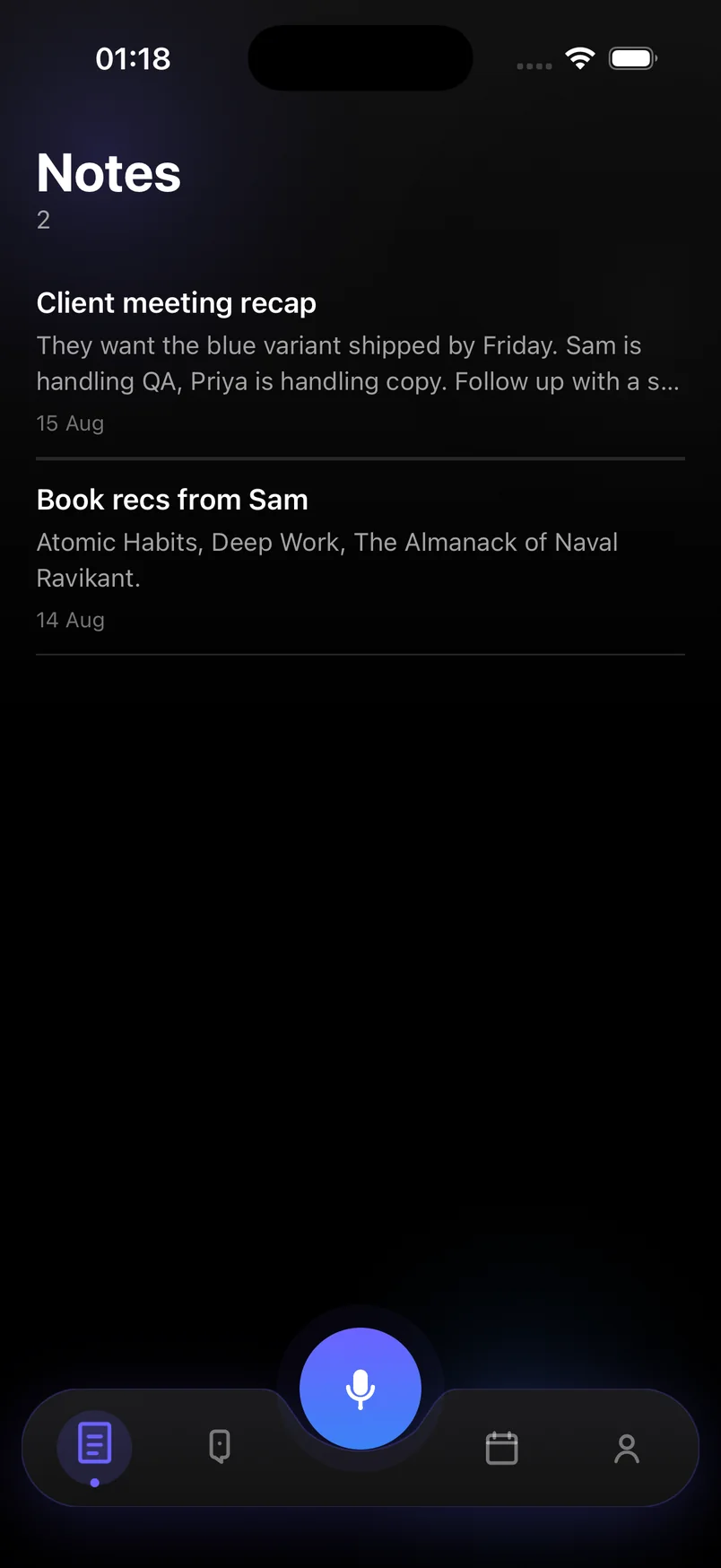
The result is a notebook that stays in order without you touching it. Meeting recaps sit under Notes. Product sparks sit under Ideas with tags. Anything you need to do shows up on Today with a date.
Built for how thoughts actually arrive
Thoughts do not arrive one category at a time. A single voice note after a client call might contain two action items, a fact to remember and a half-formed idea. Most apps force you to split that into three places by hand. Here you say it once, and the AI splits it.
- Voice or text capture in one tap
- Automatic sorting into tasks, reminders, notes and ideas
- Deadlines, times and recurrence pulled from natural language
- Search across everything you have ever captured
- Sync and backup across your devices
Privacy
Notes are personal, so the app treats them as sensitive data: encrypted in transit and at rest, no ads, no selling of data, and account deletion available at any time. Guest mode keeps your data on the device if you prefer not to sign in.
Frequently asked questions
Is this an AI note taker for meetings?
It works well for spoken recaps after a meeting: record what was decided and who owns what, and the AI turns owners and dates into tasks. It does not join calls or record other participants.
Can I still organize notes manually?
Yes. You can edit any capture, change its type, add tags to ideas and archive what you are done with. The AI gives you a sensible default; you keep control.
How many AI notes are free?
The free plan includes 20 AI captures a month. Premium is unlimited, with a 7-day free trial.