The recap method
Instead of recording the meeting, record yourself immediately afterwards. Answer three questions out loud: what was decided, who owns what, and what do I need to do by when. That is usually under two minutes and contains everything that matters.
Because you are speaking in your own words, the result is already summarized. AI extraction then does the sorting: decisions and context become a note, your action items become tasks with deadlines, and follow-ups with a time become reminders.
A recap that extracts well
Something like this works well:
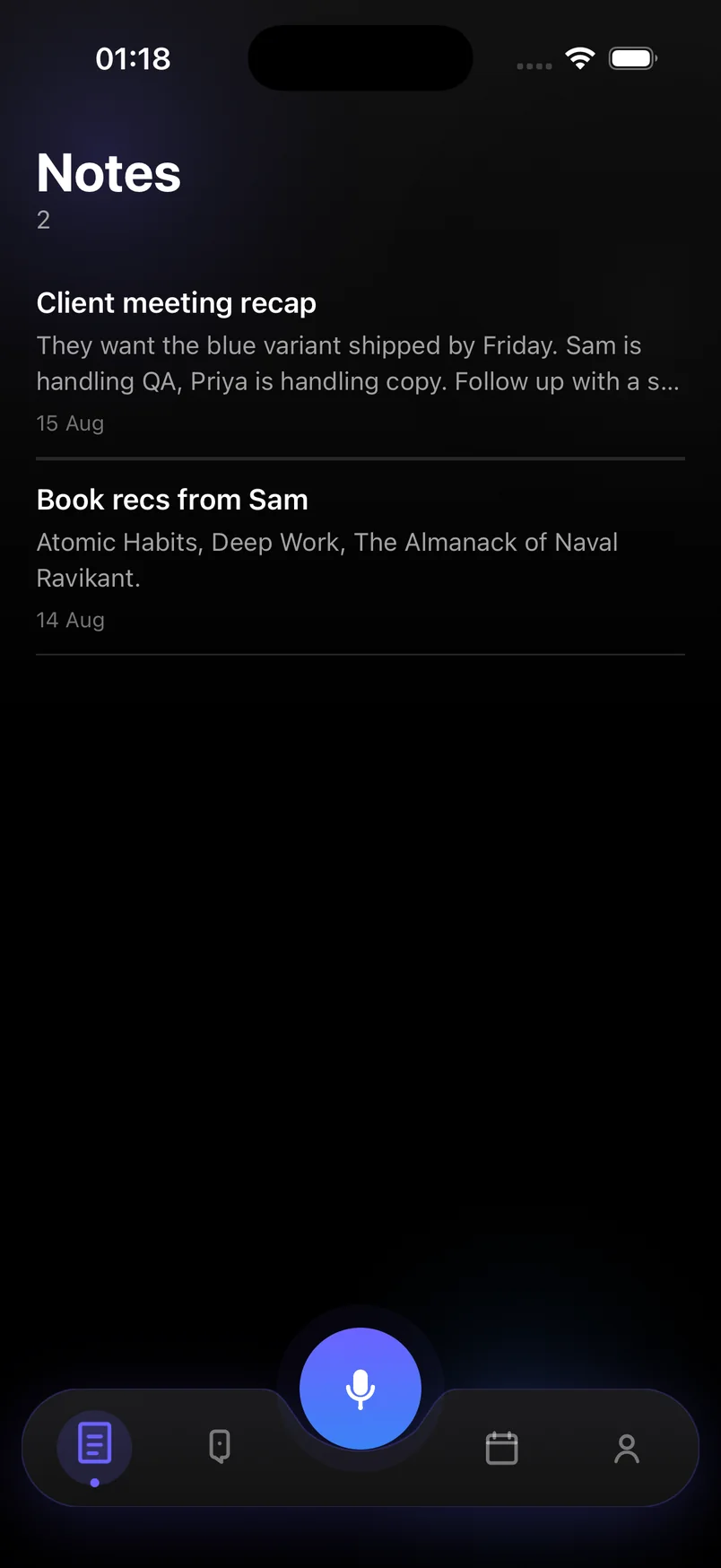
- "Client meeting recap. They want the blue variant shipped by Friday."
- "Sam is handling QA, Priya is handling copy."
- "I need to send the revised quote by Wednesday and follow up Friday afternoon if they have not replied."
What you get
A note titled "Client meeting recap" with the decisions and who is doing what. A task due Wednesday to send the quote. A Friday-afternoon reminder to follow up. All searchable, all synced, none of it typed.
Steps
- Leave the meeting and open Capture
Do it within a few minutes, before details fade. Tap the mic.
- State the decisions
Say what was agreed, in plain sentences. Include names so the note carries context.
- State your action items with dates
"I need to … by Wednesday." The AI turns each into a task with that deadline.
- Add follow-ups with a time
"Remind me Friday at 3 to check for their reply." This becomes a reminder notification.
- Stop and review
The recap lands in Notes; your tasks and reminders land on Today. Adjust anything with a tap.
Frequently asked questions
Should I record the whole meeting instead?
Only if you need a verbatim record. For most working meetings, a spoken recap is faster to make, faster to read later, and avoids recording other people.
Can I share the note with my team?
You can copy the text out of the note. Built-in team sharing is not part of the current version.