Why a widget beats opening the app
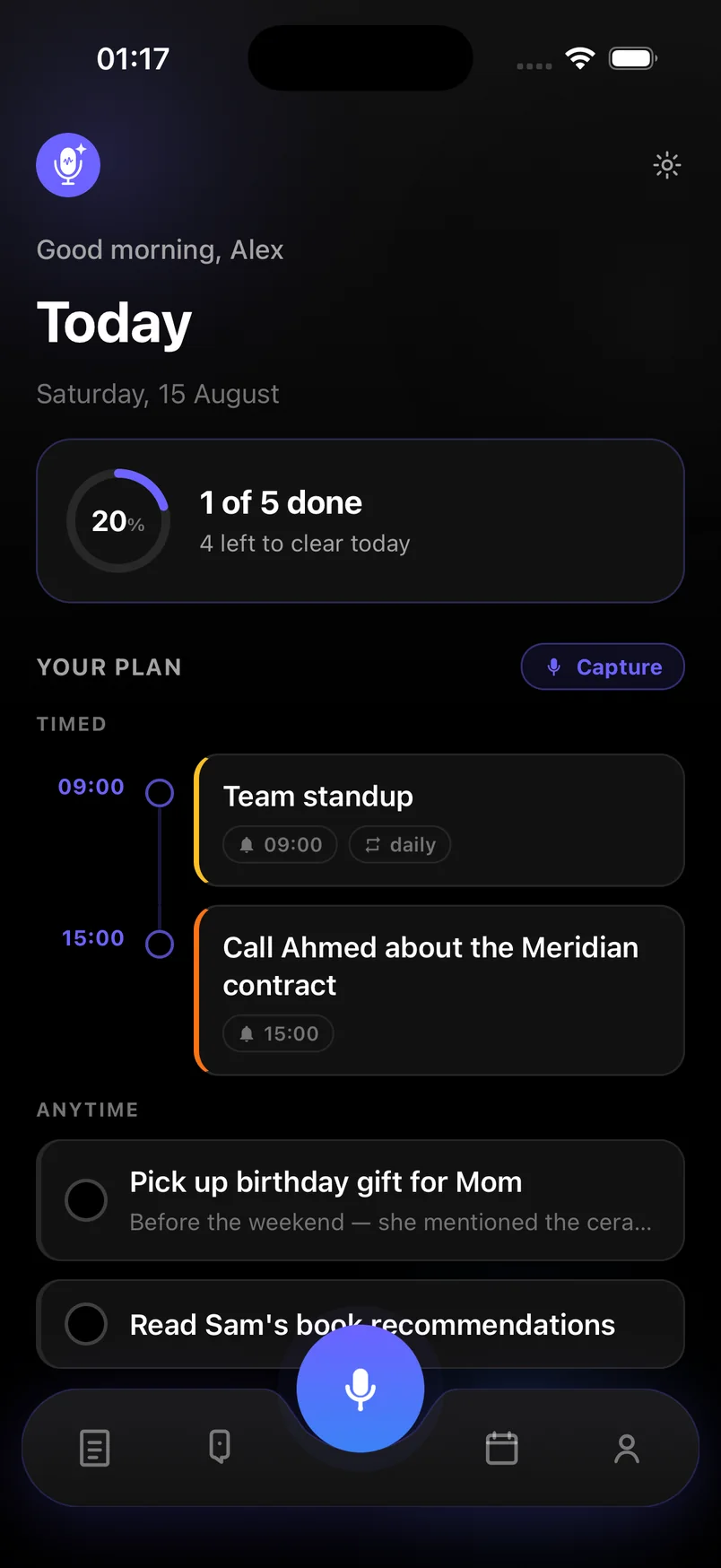
Opening an app to capture a thought is three taps and a wait. A widget is one. That difference is what decides whether a parking reminder or a post-call follow-up actually gets saved. Voice notes & Smart plan puts capture and today’s plan on the Home Screen so the app is there when the thought is.
What the widget shows
- One-tap capture — start a recording without unlocking a full screen of UI
- Today at a glance — the next items on your plan, kept up to date
- Works from the Home Screen, so you never hunt for the app icon first
After you record
The recording is transcribed and AI sorts it the same way as a capture inside the app: tasks with deadlines, reminders with times, notes and ideas. When you open Today, Upcoming, Notes or Ideas, the new item is already there.
iPhone, iOS 17 or later
The widget uses Home Screen APIs available on iOS 17 and later. Add it like any other widget: long-press the Home Screen, tap Edit, then Add Widget, and search for Voice notes. Android does not include a widget in this version.
Frequently asked questions
How do I add the Voice notes widget?
On iPhone, long-press the Home Screen, tap Edit, then Add Widget. Search for Voice notes and place the size you want. You need iOS 17 or later.
Does the widget work without an account?
Yes. You can start capturing immediately. A guest account is created in the background; add an email later if you want to sync across devices.
Is there an Android widget?
Not in this version. Capture from inside the Android app is the same one-tap flow; a Home Screen widget is iPhone-only for now.