Why the manual way fails
The traditional workflow is record, replay, type. Replaying a five-minute memo takes five minutes. Typing the tasks out takes more. Most people skip the second and third steps, which is why voice memos pile up unheard. The fix is to remove the replay-and-type step entirely by letting AI read the transcript and extract the tasks.
Tips for memos that extract cleanly
- Say the when: "by Friday", "tomorrow at 9", "every Monday". Timing words become deadlines and reminders.
- One task per clause. "Send the quote, then call Priya" is two tasks; the AI splits it, but clear pauses help.
- Names and context are fine — they stay in the note so the task makes sense later.
- Do not worry about order or filler words. The transcript can be edited, and the AI ignores "um".
What you end up with
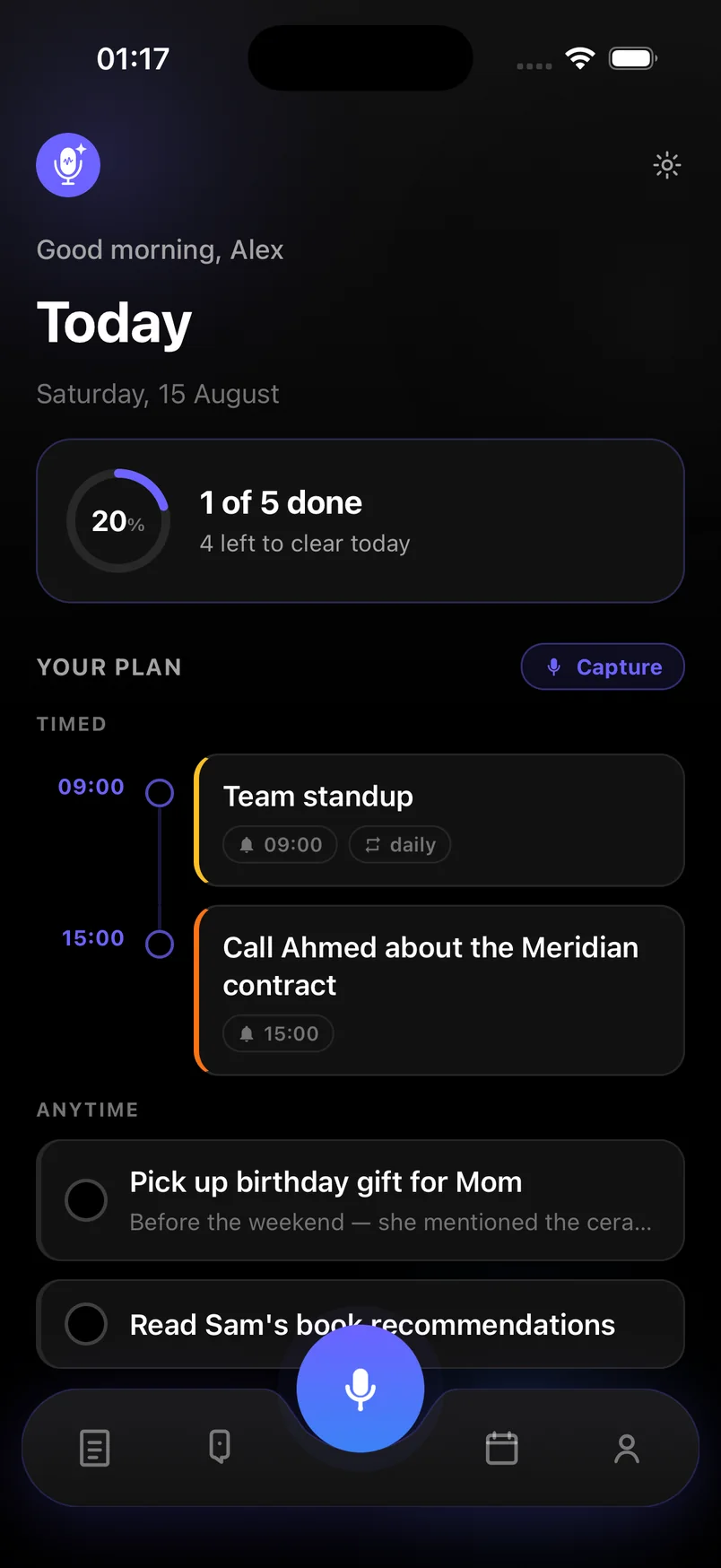
Each memo becomes items on the Today screen: timed tasks on the timeline, undated ones in Anytime, reminders scheduled as notifications. The full transcript stays attached, so you can always check what you actually said.
Steps
In Voice notes & Smart plan the whole flow takes one tap and one sentence per memo.
- Open Capture and tap the mic
From any screen, tap the microphone button. Speak mode is selected by default; switch to Type if you cannot talk.
- Say your tasks with their timing
Talk naturally: "Pay the electricity bill Thursday. Call the dentist tomorrow morning. Pick up milk." Include days and times where they matter.
- Stop and let AI extract
Tap stop. The memo is transcribed and the AI pass separates each task, assigns deadlines from what you said, and creates reminders for timed items.
- Review on Today
Open Today. Timed tasks sit on the timeline; the rest are under Anytime. Tap any item to adjust the text or date if needed.
- Mark done as you go
Tap the circle to complete a task. Reminders fire at the time you said, and recurring ones return automatically.
Frequently asked questions
Can I do this with old voice memos from my phone recorder?
Not directly — the app transcribes recordings made inside it. For old memos, play them back and re-speak the tasks into a new capture; it is still faster than typing.
What happens if I do not say a date?
The task goes to your Anytime list with no deadline and no reminder. You can add a date later with a tap.