The rule: capture now, sort never
Every step between having an idea and saving it is a place to lose it. Choosing a notebook, adding a tag, deciding if it is a task or a note — each one is friction. The system that works is the one with no decisions: tap, say it, done. Sorting is the AI’s job.
Keeping ideas separate from tasks
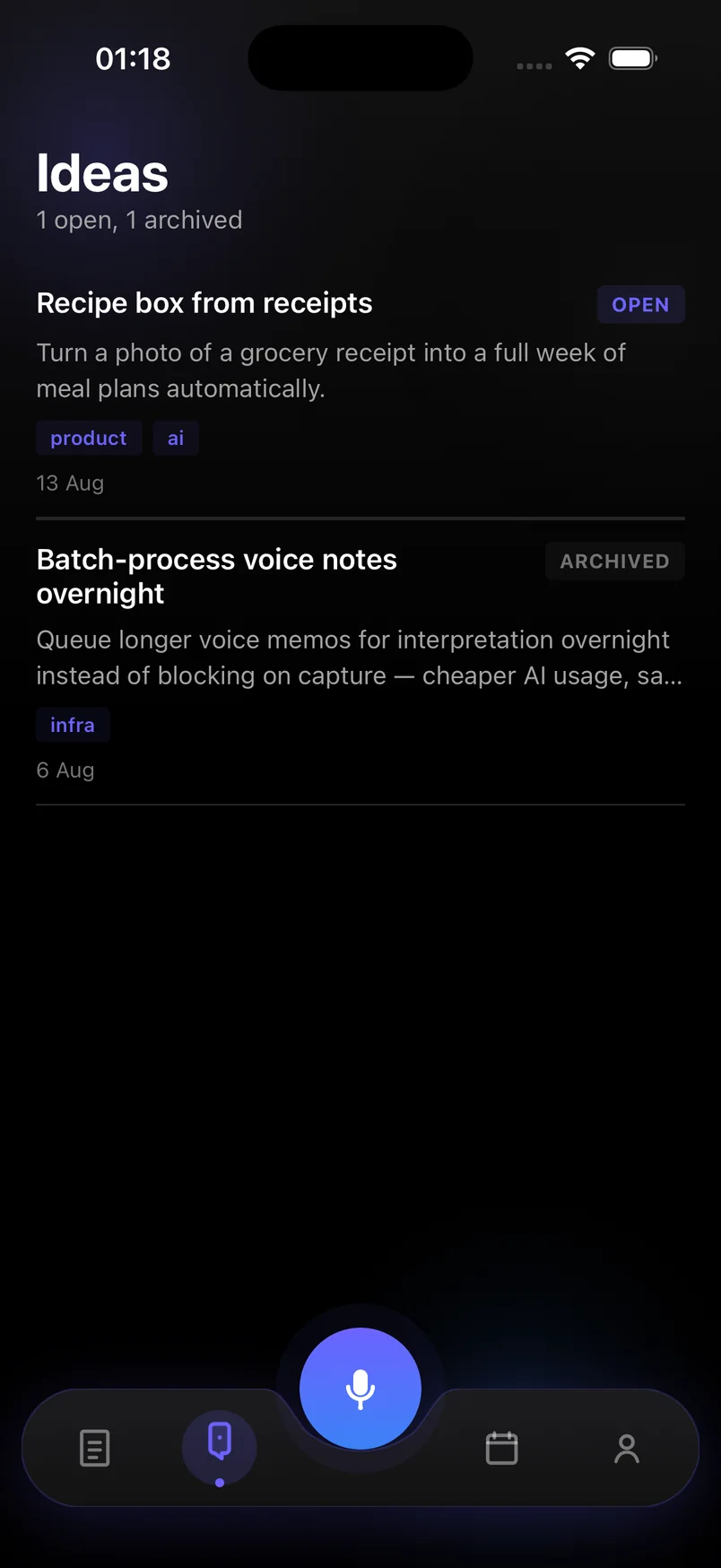
Ideas and tasks do not belong in the same list. A task nags you until it is done; an idea should wait quietly until you are ready for it. Voice notes & Smart plan keeps a dedicated Ideas space, with tags the AI adds from the content — "product", "ai", "infra" — and an archive for ideas you have acted on or let go.
- Say the idea and a line of why it matters — the "why" is what you forget first
- Do not judge it while capturing; archive later if it does not hold up
- Review Ideas weekly; promote one to a task by giving it a date
Finding them again
Every idea is full-text searchable, tagged and dated. Search "receipt" and the "recipe box from receipts" idea comes back, even if you captured it months ago on a different phone.
Steps
- Tap the mic the moment an idea lands
One tap from anywhere in the app. Do not open a notebook or pick a category first.
- Say the idea and the reason
"Recipe box from receipts — turn a photo of a grocery receipt into a week of meal plans." The second half is the part you would otherwise lose.
- Let AI file it under Ideas
The AI recognizes it as an idea rather than a task, saves it under Ideas, and adds tags from the content.
- Review weekly
Open Ideas once a week. Archive what no longer excites you; give a date to anything you want to act on, which moves it to Today.
Frequently asked questions
What if the AI saves an idea as a task?
Tap the item and change its type. The AI uses timing words and intent to decide; "I should build…" reads as an idea, "build … by Friday" reads as a task.
Can I add my own tags?
Yes. AI tags are a starting point; you can edit or add tags on any idea.